2025 is the year the UK smart home goes from niche gadget to sensible upgrade. A perfect storm of new building regulations demanding greater energy efficiency, maturing technology like Matter, and clearer-than-ever benefits are making it the ideal time to start. Whether you want to lower energy bills, simplify daily routines, or improve security, the tools are now more reliable and easier to use. Adding smart devices is no longer a splurge; it’s the next logical step in modern living. This guide will walk you through building a truly resilient smart home, from your first plug to an automated ecosystem backed by essentials like home generators.
Your Smart Home Blueprint: A 3-Step Plan for Success
Step 1: Define Your “Why” — What’s Your Primary Goal?
Start simple. Pick one main reason to make your home smart. Do you want lower bills. Easier routines. Better comfort. Safer entry. Help for kids or older parents. Pick one. Write it down. Then cut scope to match it. If energy is your goal, focus on heating, hot water, and heavy loads first. A good thermostat plan beats ten flashy plugs. If convenience is your goal, map the moments you repeat daily. Wake-up. Leave home. Return. Bedtime. Build scenes for those and ignore the rest for now. If access is your goal, choose reliable door locks and clear alerts.
If you rent, choose gear that does not need rewiring. If you own, think about an electrician’s time and future wiring for sensors. Keep privacy in mind. Decide what data you are fine to share and what must stay local. In the UK, smart meters can help you see your usage and time your loads. Suppliers are expected to meet clear service standards, and you have published rights during installation and upkeep. That helps you plan any automations that react to price or TOU later.
Step 2: Choose Your Team — The Battle of the Brains (Alexa vs. Google vs. Apple)
Pick the platform that fits your life today. If your house already has Echo speakers, Alexa routines, or an Eero router, staying with Alexa is easy. If you live in Android and Nest displays, Google is a natural pick. If your family uses iPhones, Apple Watches, and HomePods, Apple Home will feel smooth. Try the voice you like most. Check the app you find easiest.
You should make sure everyone at home can utilise it. Look at the hubs you may already own because some features need them. Check that your must-have device types are supported now, not “coming soon.” All three now set up and control many Matter-ready smart home devices. Each platform has official guidance on what works and how to add it, and all support local control for many accessories, which decreases lag and adds resilience.
Step 3: Future-Proof Your Home with Matter
Think “Matter first.” Matter is a language for the smart home. It runs over IP and aims to let one device work across the big ecosystems with less fuss. It also enables multi-admin, so the same accessory can live in more than one app at once. That protects you if you switch phones or speakers later. Start with a core kit like lights, plugs, and sensors that already have solid Matter support. Keep your Wi-Fi strong and stable. Use wired backhaul for access points if you can.
Add gear step by step. Test automations before you scale them. Avoid lock-in to single-vendor clouds when a local option exists. Plan for updates, since features roll out over time. And be realistic: not every niche device speaks Matter yet, and some unconventional features may still need the maker’s app. When you buy, look for clear Matter badges and contemporary firmware notes. If you can, choose Thread-capable gear for low-power sensors and reliable mesh, and lean on your main platform’s hub or router to act as the bridge. Buy smart home devices that support Matter where possible, and keep older gear on bridges until you can swap it out.
Laying the Foundation: Your First Smart Devices
Start with smart plugs. They are the easiest upgrade in the UK. They drop into any BS 1363 socket and add timers and a remote control. Use them on lamps, fans, dehumidifiers, or routers. They are a way to start your smart home devices journey. Pick models that meet UK safety rules and use a fused 13A plug. Avoid sketchy listings. Several non-compliant plugs and power strips have been recalled for shock or overheating risks. Energy Saving Trust says switching appliances off standby can save £45 a year in Great Britain, and £55 in Northern Ireland.[1]
Prefer plugs with energy monitoring and, if you can, support for local control or Matter. Cloud outages can break Wi-Fi-only gear, and we have seen that recently. Now for lights. Smart bulbs are quick, renter-friendly, and great for colour scenes or lamps. They go dumb if someone flips the wall switch. And a room with many bulbs can cost more than a single switch. Smart switches keep the wall control and suit rooms packed with downlights. Check your wiring first. Some homes lack a neutral at the switch. If so, choose a non-neutral model or one that uses a hub.
Hub or no hub. No hub means many Wi-Fi plugs and bulbs work fine without one. Nevertheless, a hub can add range, reliability, and local control. Amazon Echo models can include a Zigbee hub, and some Eero routers add Thread. Apple TV or HomePod can be your Thread or Matter controller. Matter is built for local, cross-brand control. Start small. Try one or two plugs and a simple light routine like “on at sunset” and “all off at bedtime.” Learn what helps and, subsequently, add sensors or heating later. That rounds out your smart home devices setup.
Expanding Your Ecosystem: Level Up Your Home’s IQ
A Smarter Eye on Your Home: Smart Security
Decide how you want the video stored first. Subscriptions keep clips in the cloud and make sharing simple. Local storage avoids monthly fees but needs hubs, USB drives, or SD cards. Ring lets you view live video for free, and saving history requires a Ring Plan. Blink can save to a USB drive on the Sync Module 2. On a subscription, it backs up daily, and full cloud features apply. Arlo records locally if you use a compatible SmartHub, and remote access to those files requires VPN or port-forwarding. Eufy pushes local storage and “no monthly fees,” which suits people who don’t want ongoing costs. Pick smart home devices with storage you can live with.
Comfort and Savings: Smart Thermostats
UK homes use boilers, so check hot-water control and OpenTherm support. Nest supports OpenTherm and hot-water control, which can improve efficiency with compatible boilers. Hive is strong for easy multi-room control via its smart radiator valves. Tado° adds geofencing and open-window detection, and its Auto-Assist subscription can automate those so you don’t tap prompts. Check your boiler compatibility, app features, and any ongoing fees before you buy.
Automating the Chores: Other Popular Upgrades
Robot vacuums now map rooms, dodge cables, and mop, and, meanwhile, Roborock, iRobot, Dreame, and Eufy are common picks in UK stores. Smart blinds are easy wins: IKEA FYRTUR works with the IKEA Home smart app and hub, and Somfy’s TaHoma hub drives many motorised blinds. For appliances, Bosch/Siemens/NEFF uses the Home Connect app, and Samsung ties washers and more into SmartThings. Remember to start with small wins like schedules and scenes. These smart home devices will fit your habits without fuss.
The Unseen Essential: Keeping Your Smart Home Powered and Protected
The Smart Home’s Achilles’ Heel: The Power Cut
When the lights go off, your Wi-Fi, fibre ONT, and hubs go off too. Then the apps time out. Cameras stop uploading. Routines stall. Even landline calls over “Digital Voice” won’t work unless the kit has a battery. That catches many people out. Mobile fallback also isn’t a sure thing. Only a minority of UK masts have a battery backup for home for about an hour, so coverage can thin fast during longer cuts. Furthermore, power returning can bring a surge. That can fry routers, hubs, and TVs. So, you should unplug sensitive gear during an outage and then plug back in once things are stable. If you want some smart home devices to keep working through the cut, you must keep the network up. Start with the router and ONT, or nothing else talks.
Building a Resilient Smart Home: Your Power Backup Strategy
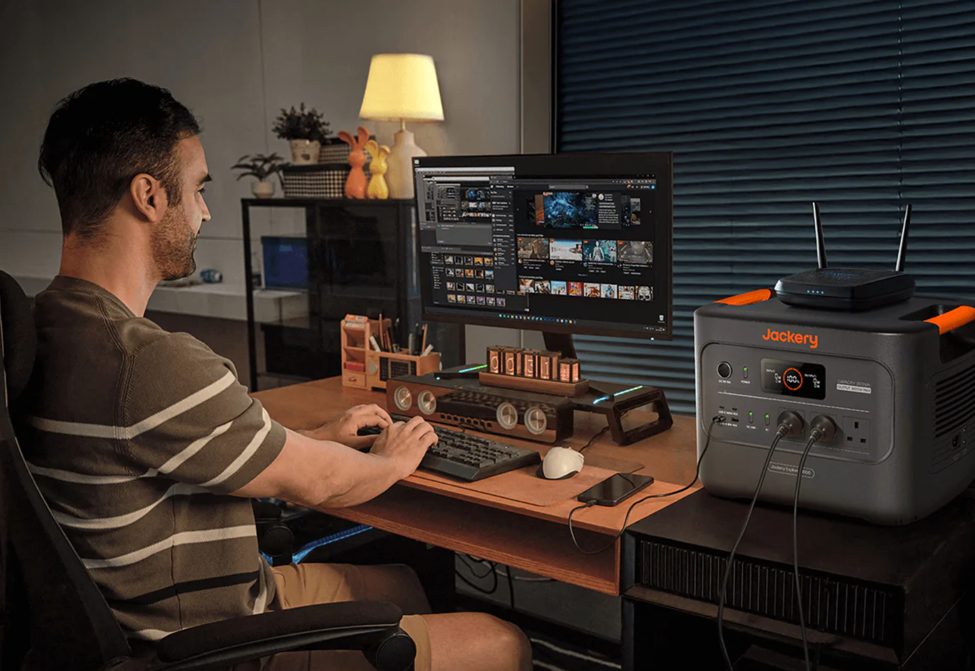
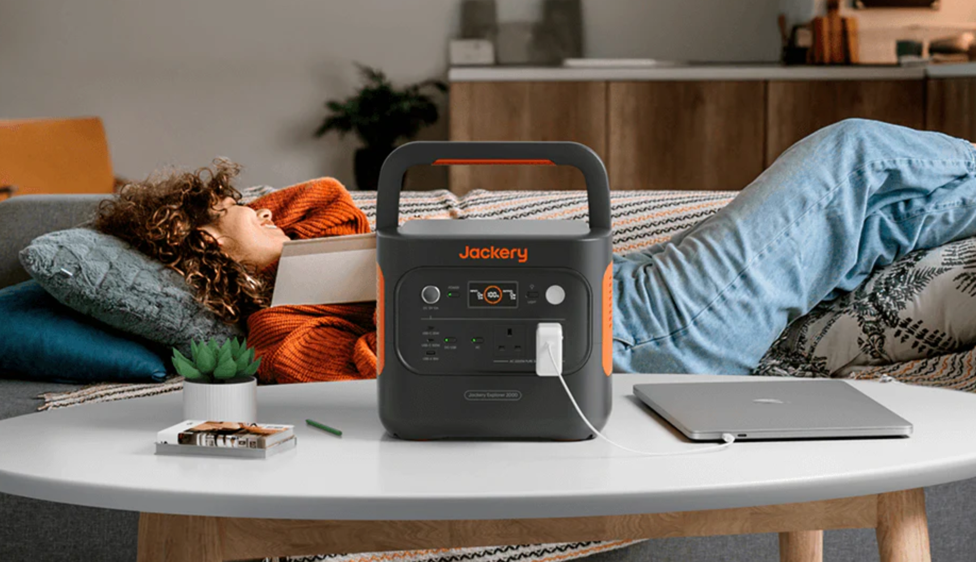
Start small. Keep the internet alive. A router and ONT often draw only 5-20 watts, so a modest UPS can run them for hours and bridge most UK cuts. If you depend on a digital landline, ask your provider about a battery unit for at least an hour of emergency calling. Want longer runtime or to add a hub, camera base, chargers, or a laptop? Go “better” with a portable laptop power bank. A compact Jackery solution can quietly power essentials indoors without fumes. Skip petrol home generators inside the home. Carbon monoxide is deadly, even with windows open. Keep cables tidy. Label the plugs you will power. Test your setup once, and then store it near the router. That way, your smart home devices stay useful when the street goes dark.

Jackery UPS Power Solutions
Jackery Solar Generator 3000 v2
For a UK setup that needs to keep a lot running, this one is safer. It stores 3,072Wh and delivers 3,600W continuous (7,200W surge), along with three 230V~13A UK sockets for household loads. It also gives you 2x100W USB-C, 2x18W USB-A, and a 12V car port for low-power gear. That mix fits routers, hubs, cameras, lights, and smart home devices. It works as a UPS with an automatic switchover of 20 ms; fine for most appliances, but not for gear that needs 0 ms. You can run in Bypass Mode, so it powers devices from the mains while topping itself up. The app lets you set scheduled charging to catch off-peak rates. The solar bundle adds a 200W panel that’s lightweight to carry and 25% efficient, handy during longer cuts. It’s a fixed-capacity unit with no expansion, so size it once and keep it simple. A UK 3-pin AC cable is included.
Jackery Solar Generator 2000 v2
Pick this if you just need the essentials covered. Capacity is 2,042Wh with 2,200W output, plus 2 AC outlets, 2 USB-C (100W+30W), and 1 USB-A 18W for everyday kit. It also has a 20 ms UPS function and pass-through support, so your internet and lights can stay on while it charges. It recharges fast: 0-80% in 52 minutes via the app’s Emergency Super Charge, around 103 minutes to full on AC, or about 5.5 hours with 400W solar in good sun. The bundle can include a single 200W panel, and you get a UK 3-pin AC cable in the box. For many flats and small homes, it’s a practical backup power generator for house needs, as well as it can serve as a simple backup power generator for home during outages without wiring changes.
Conclusion
Building a smart home in 2025 is no longer a complex project reserved for tech enthusiasts. By following a clear plan—defining your goal, choosing a core ecosystem, and prioritising future-proof technology like Matter—you can create a home that is more efficient, convenient, and secure. The journey begins with simple, effective devices like smart plugs and lights. From there, you can gradually expand to thermostats, security cameras, and even essential power backup solutions, adding value at every step.
Reference
[1] https://energysavingtrust.org.uk/hub/quick-tips-to-save-energy/